Knowledgehook – Designing Interactive Math for K–2 Learners
During my internship at Knowledgehook, I was responsible for turning curriculum-aligned math questions into engaging, interactive digital activities for K–2 students. Each assignment came with defined learning goals and rough outlines, and my role was to design how the questions would be presented, implement them in code, and iterate based on review.
Company

Year
2023
Role
Design Engineer

Challenge
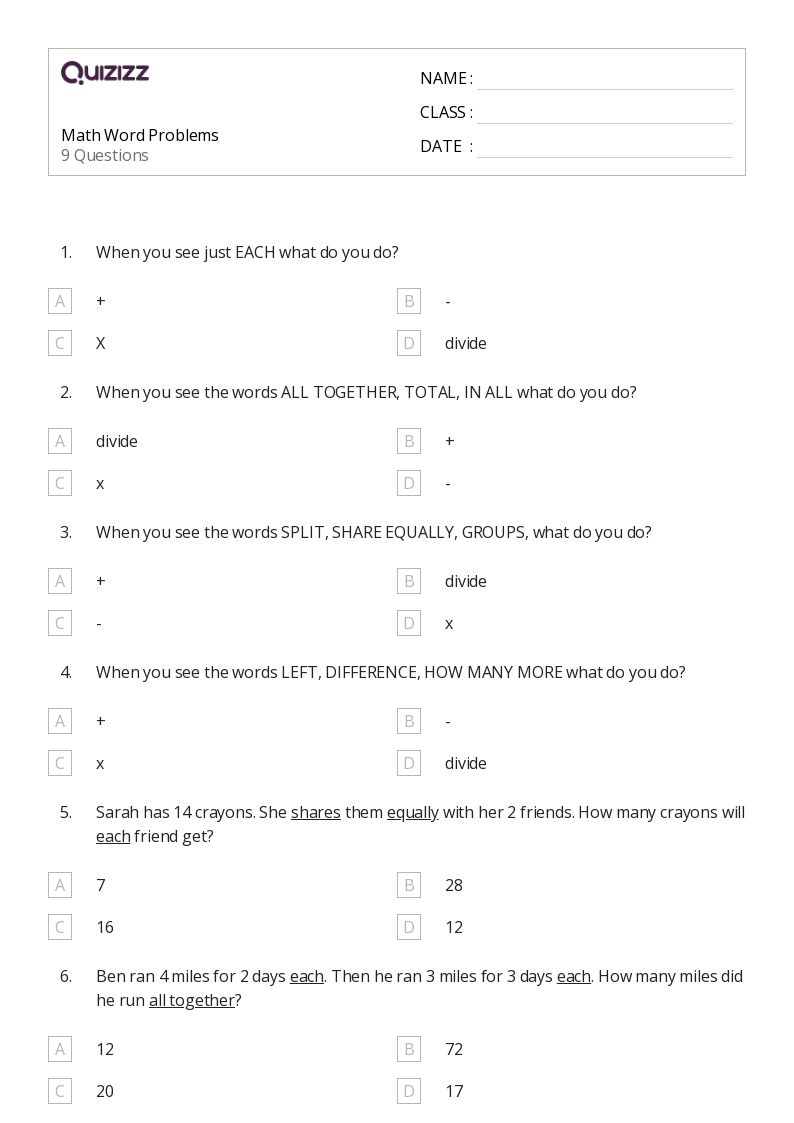
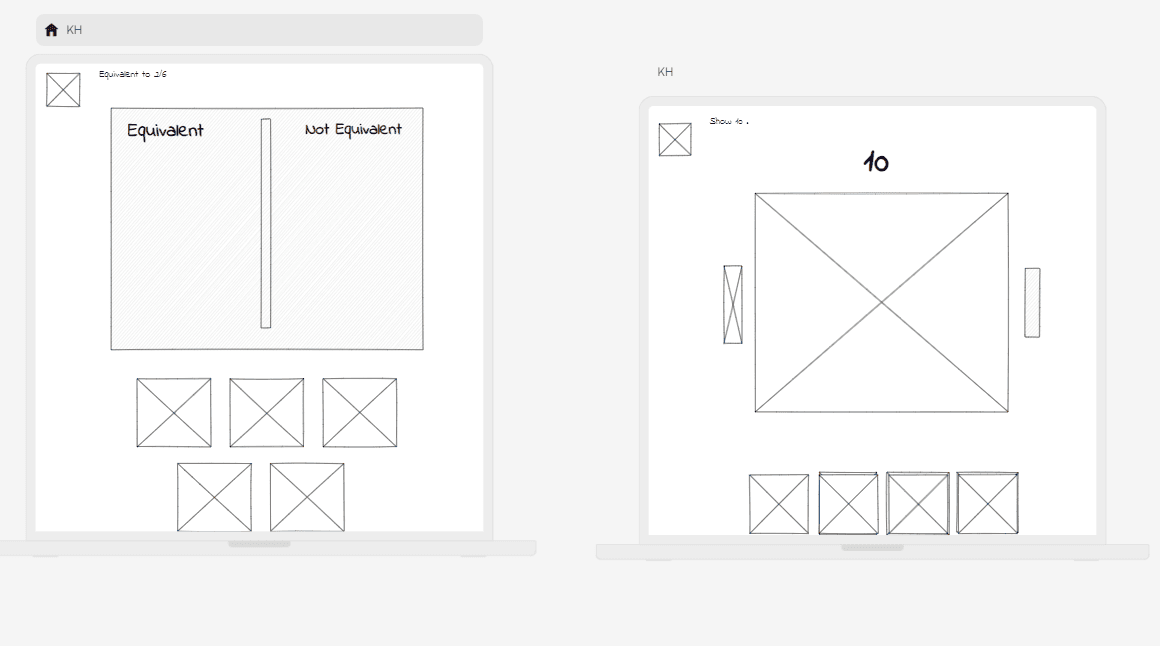
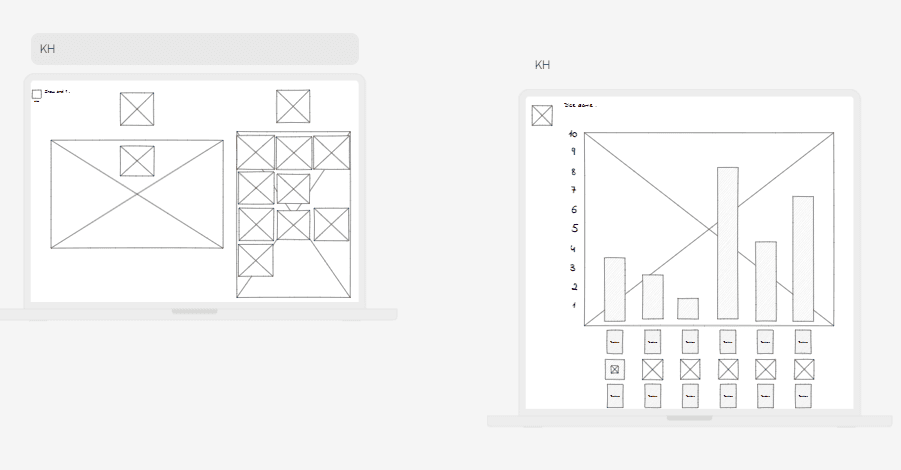
Early math content for K–2 learners was often too static and text-heavy. While the curriculum requirements and research were already defined, the team needed these questions translated into visual, interactive formats that young learners could easily understand and enjoy using on different devices. Below I've provided an exmaple of the static questions that the students initially used to learn from, and as well as the initial wireframe on how the questions were going to end up looking like.
Even though research and guidelines were provided upfront, I still had to make key design decisions:
How should the question be presented visually? (e.g., text vs cards vs drag-and-drop).
What interactions are most intuitive for a 6-year-old? (simple clicks vs complex gestures).
How do I make sure the layout works on tablets and whiteboards?
These constraints were actually useful, they forced prioritization over perfection, which is exactly how I work now.
Impact
20% increase in student engagement vs. static formats
15% reduction in error rates through iterative debugging
150+ activities shipped to Knowledgehook's live classroom toolkit
Used by students internationally
Solution
The core challenge wasn't technical, it was translating abstract math concepts into interactions a 6-year-old could understand without reading instructions. For each activity, I made three key calls:
Presentation format: decided between text, card-based, or drag-and-drop based on the concept. Fraction comparisons needed tactile drag interactions. Counting activities worked better with tap-to-select cards.
Interaction complexity: kept gestures to single taps and simple drags. No multi-step interactions. Young learners abandon tasks the moment something feels confusing.
Layout: designed for both tablets and classroom whiteboards, which meant larger tap targets, high contrast, and zero reliance on hover states.
I implemented all 150+ activities in code, which meant every design decision had to survive contact with real browser behavior across devices.




Reflections
This is where I stopped thinking of myself as just a designer. Implementing my own designs in code meant I felt the gap between "looks good in Figma" and "works on a classroom whiteboard" firsthand.
Debugging layout breaks, fixing interaction timing, testing on actual devices, that feedback loop changed how I design entirely.
It's also where I realized the most valuable thing I could become wasn't a better Figma user. It was someone who could own the problem end-to-end.
More work
2019 - 2025
A showcase of digital products I’ve crafted for SaaS, FinTech, and startup teams.